> ## Documentation Index
> Fetch the complete documentation index at: https://docs.numeral.com/llms.txt
> Use this file to discover all available pages before exploring further.
# SaaSGrid
> Configure Numeral to calculate and record sales tax on invoices generated in SaaSGrid's Grid Billing platform.
Grid Billing uses Numeral to calculate tax line items on invoices. A contract can be approved through direct action, manual invoice creation, or automatic invoice generation from an automatically approved contract.
**Configure before approving contracts.** Before sending invoices, fully configure the Numeral integration settings. Contracts approved before the integration rules are in place will not inherit those rules, and recurring invoice line items will be set to **Exempt** — changes would have to be made manually.
***
## Numeral Integration Settings
Navigate to **Billing > Settings** and select the data source to connect to Grid Billing.
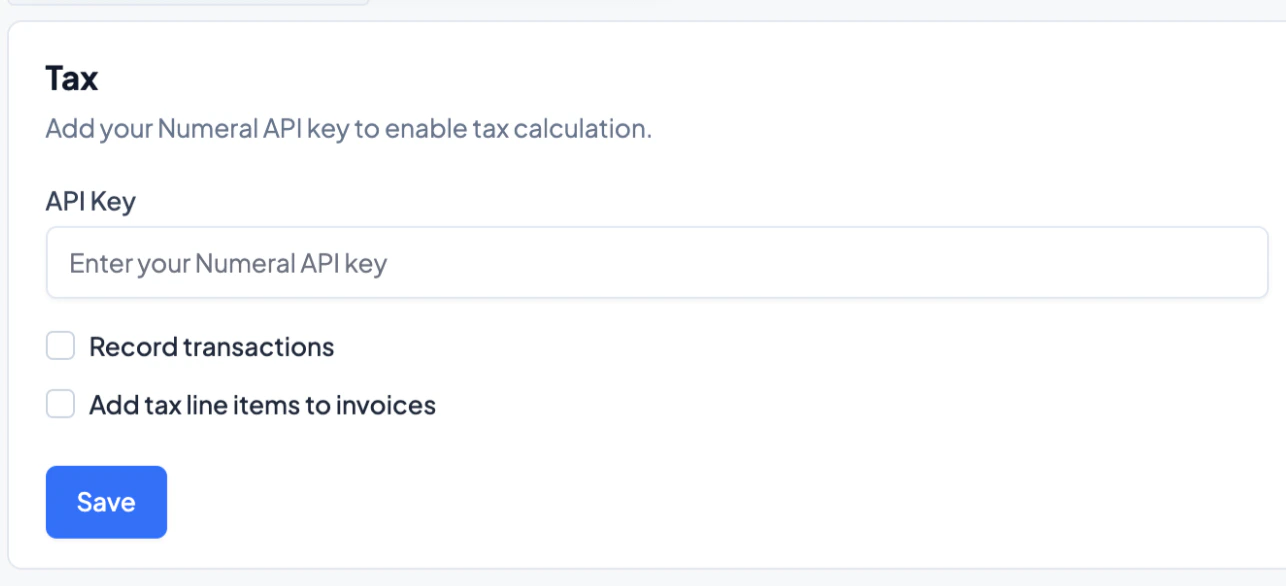
On the main page, enter the Numeral API key and choose from the following:
* **Record transactions** — ensures all transaction details are recorded within Numeral.
* **Apply tax line items** — appends tax line items to all automatically created invoices, determined by the configured Product Mappings.
 ### Product Tax Category Mapping
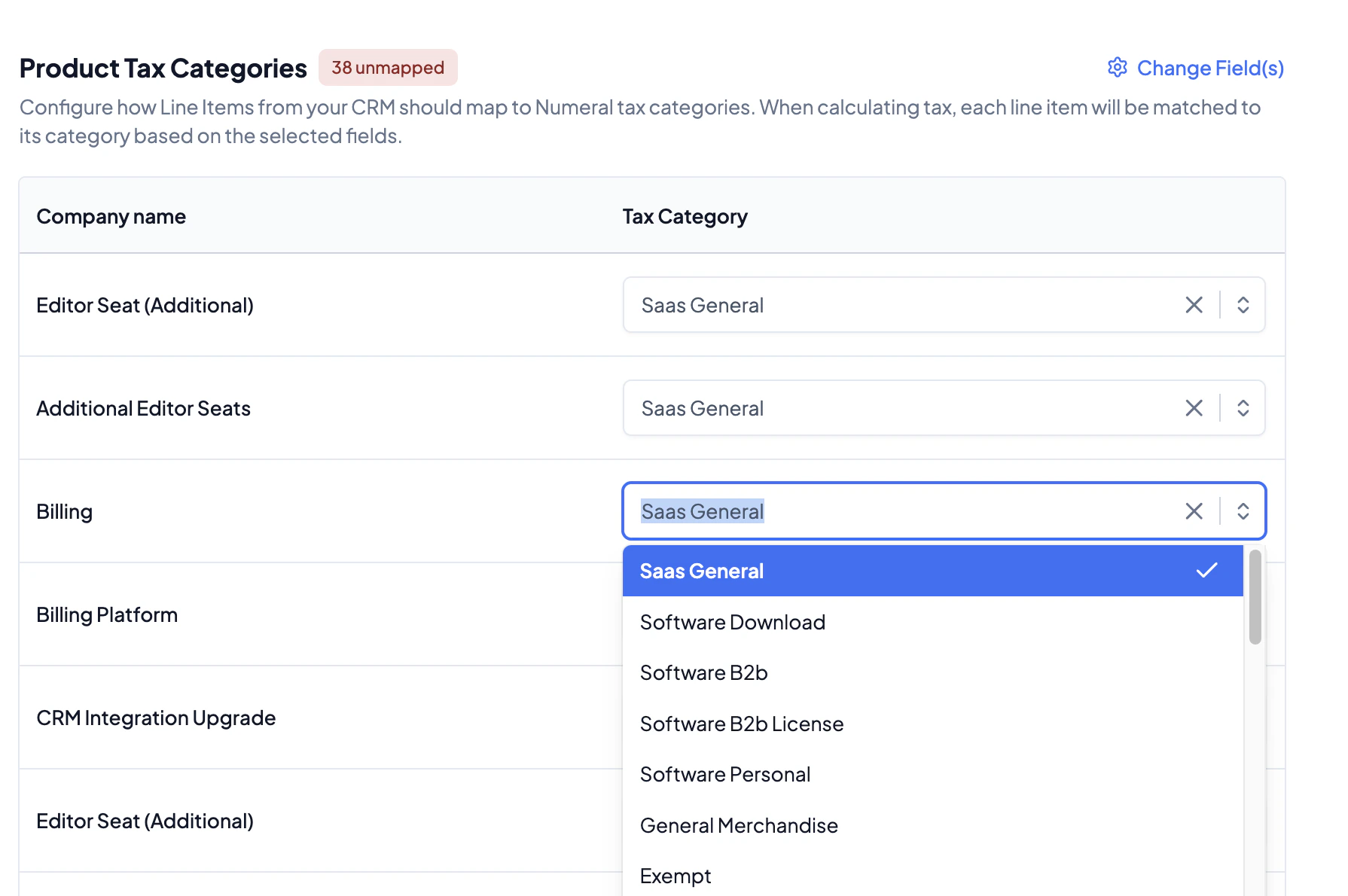
In the table below the toggles, specify the tax category for each product within a contract. These serve as the default for both automatic and manual invoices and may be manually overridden for individual transactions.
### Product Tax Category Mapping
In the table below the toggles, specify the tax category for each product within a contract. These serve as the default for both automatic and manual invoices and may be manually overridden for individual transactions.
 ### Change Field
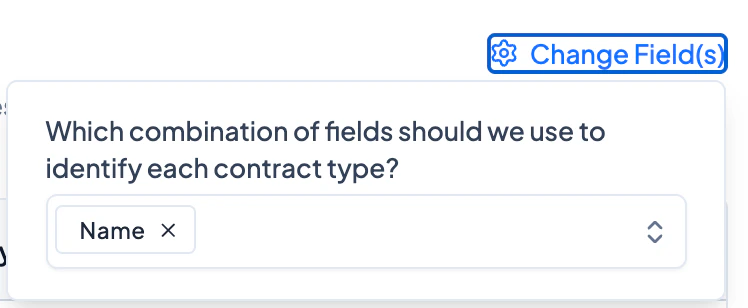
Use the **Change Field** feature to specify the attribute that dictates different tax categories. Generally, **product names** are the recommended field.
### Change Field
Use the **Change Field** feature to specify the attribute that dictates different tax categories. Generally, **product names** are the recommended field.
 ***
## Contract and Invoice Settings
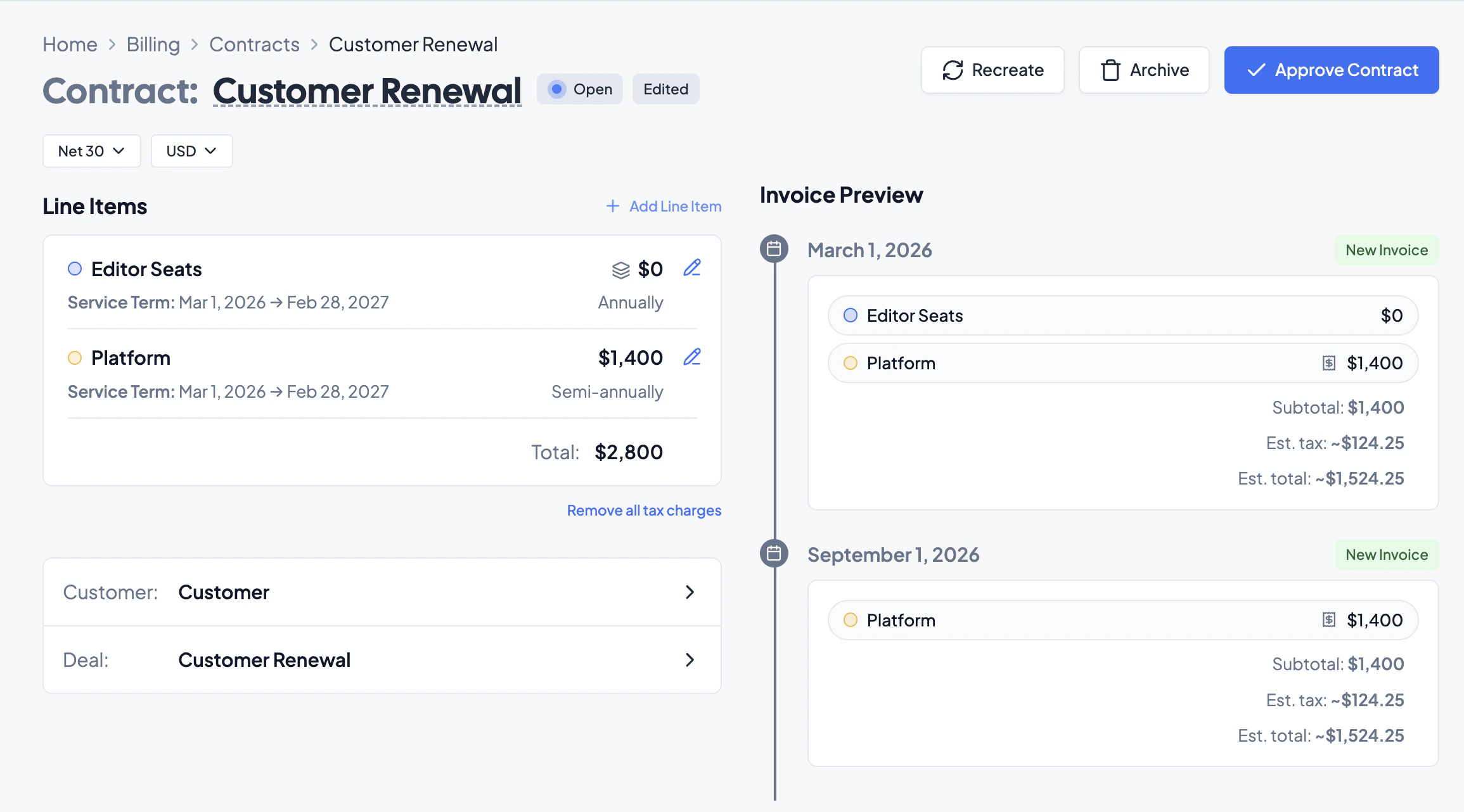
When approving a contract, each invoice line will display a tax amount.
***
## Contract and Invoice Settings
When approving a contract, each invoice line will display a tax amount.
 ### Editing the Tax Category Per Line
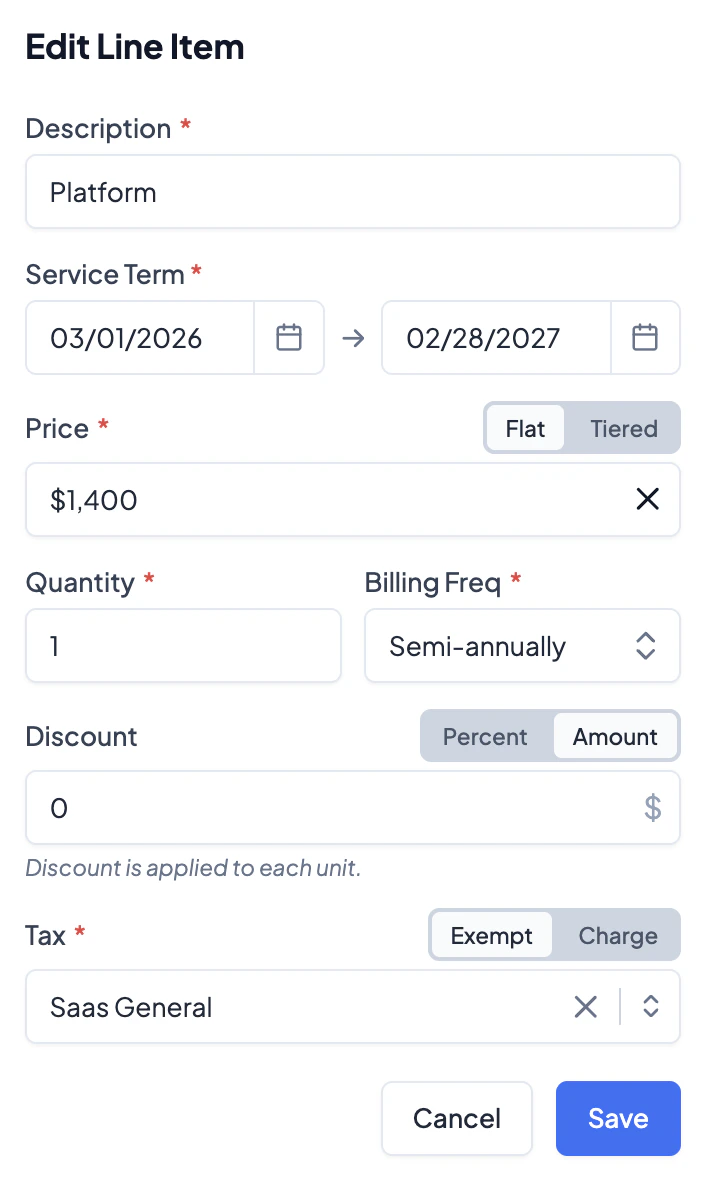
If taxes are enabled on invoices, every line item must be assigned a tax category. Available categories are generated from Numeral and have different allocations specified. To edit the category for a particular line item, click the pen icon and adjust the **Tax** category.
In the selection toggle, choose from:
* **Exempt** — the line item will not have a tax specified in the invoice and will not be charged to the customer.
* **Charge** — the line item has a tax allocation and will be charged to the customer.
### Editing the Tax Category Per Line
If taxes are enabled on invoices, every line item must be assigned a tax category. Available categories are generated from Numeral and have different allocations specified. To edit the category for a particular line item, click the pen icon and adjust the **Tax** category.
In the selection toggle, choose from:
* **Exempt** — the line item will not have a tax specified in the invoice and will not be charged to the customer.
* **Charge** — the line item has a tax allocation and will be charged to the customer.
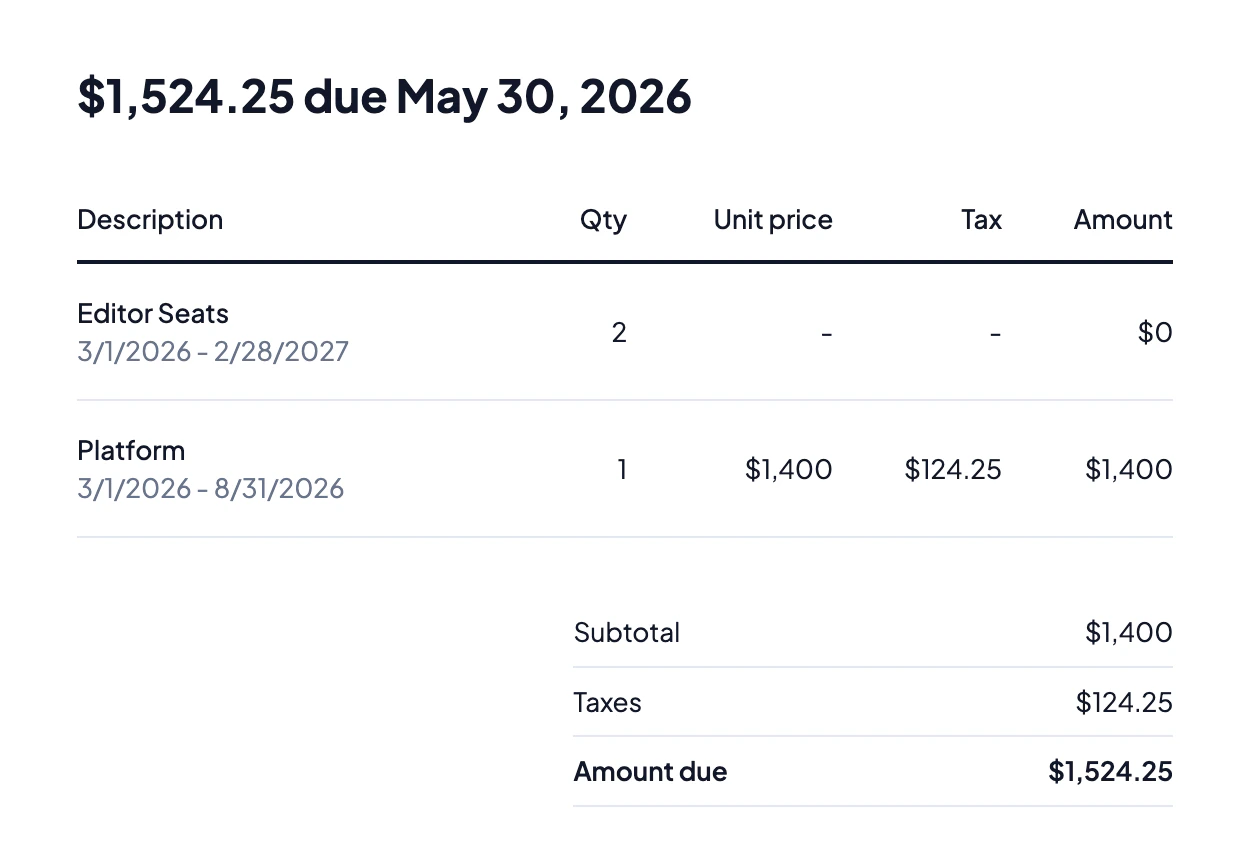
 If **Charge** is selected, the invoice will detail the tax amount.
 ### Transaction Recording
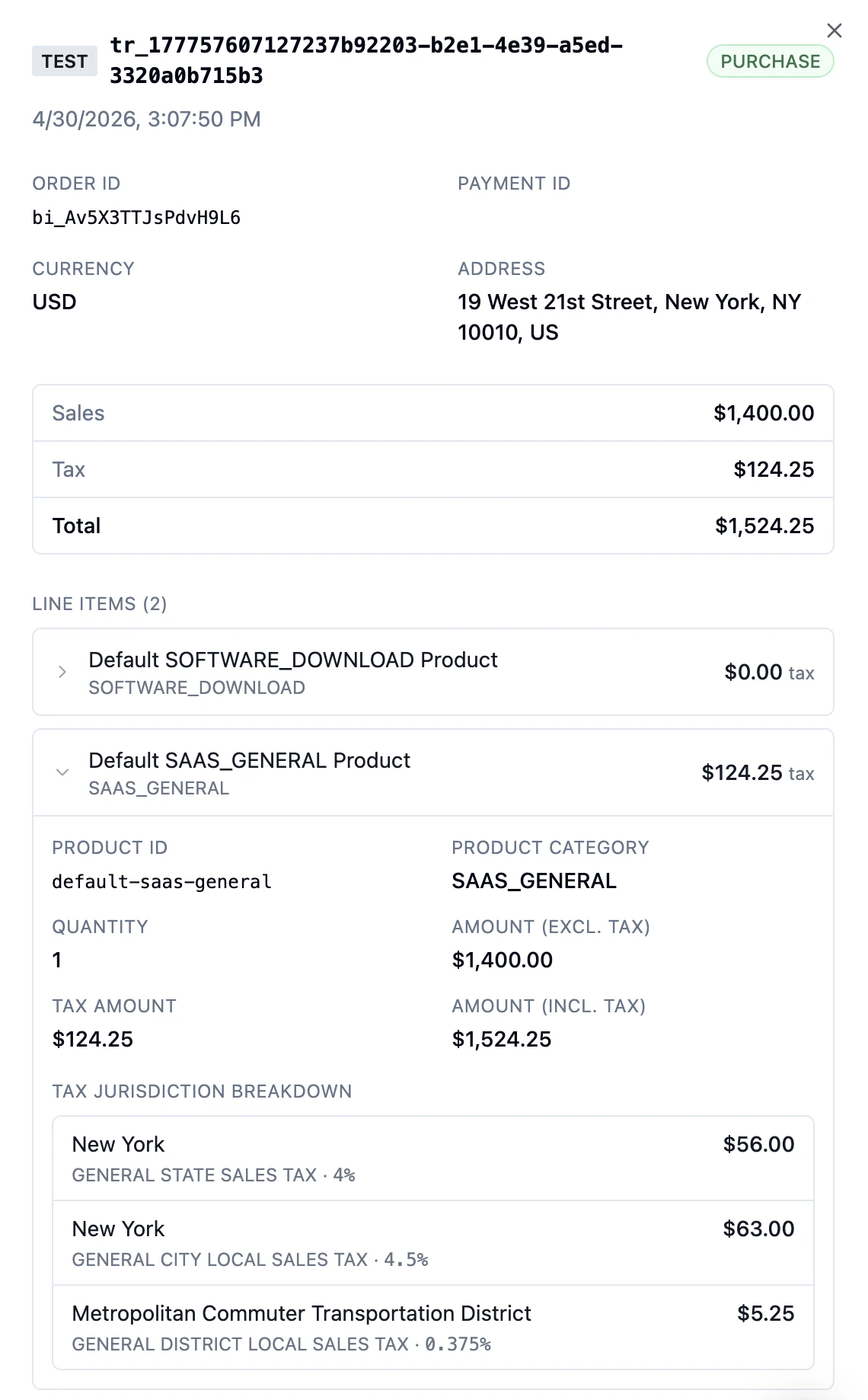
A paid invoice, when **Record transactions** is enabled, is logged as a **Transaction** in Numeral, enabling access to associated Numeral features.
### Transaction Recording
A paid invoice, when **Record transactions** is enabled, is logged as a **Transaction** in Numeral, enabling access to associated Numeral features.
 ***
## Address Requirements
Valid addresses are **mandatory** for tax calculation, as they are required for correct tax allocation within Numeral. Invalid addresses are flagged and can result in incorrect records.
***
## Address Requirements
Valid addresses are **mandatory** for tax calculation, as they are required for correct tax allocation within Numeral. Invalid addresses are flagged and can result in incorrect records.
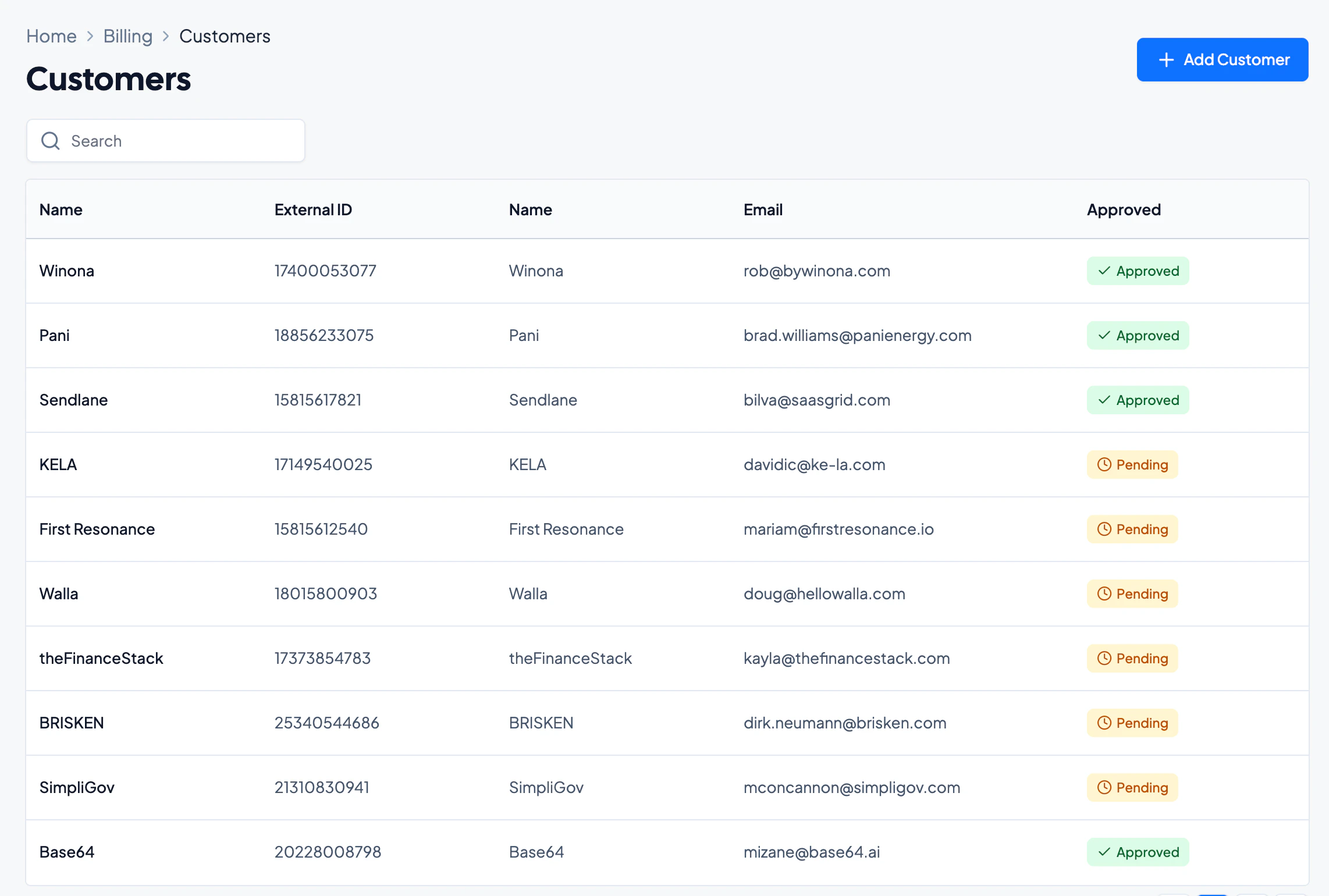
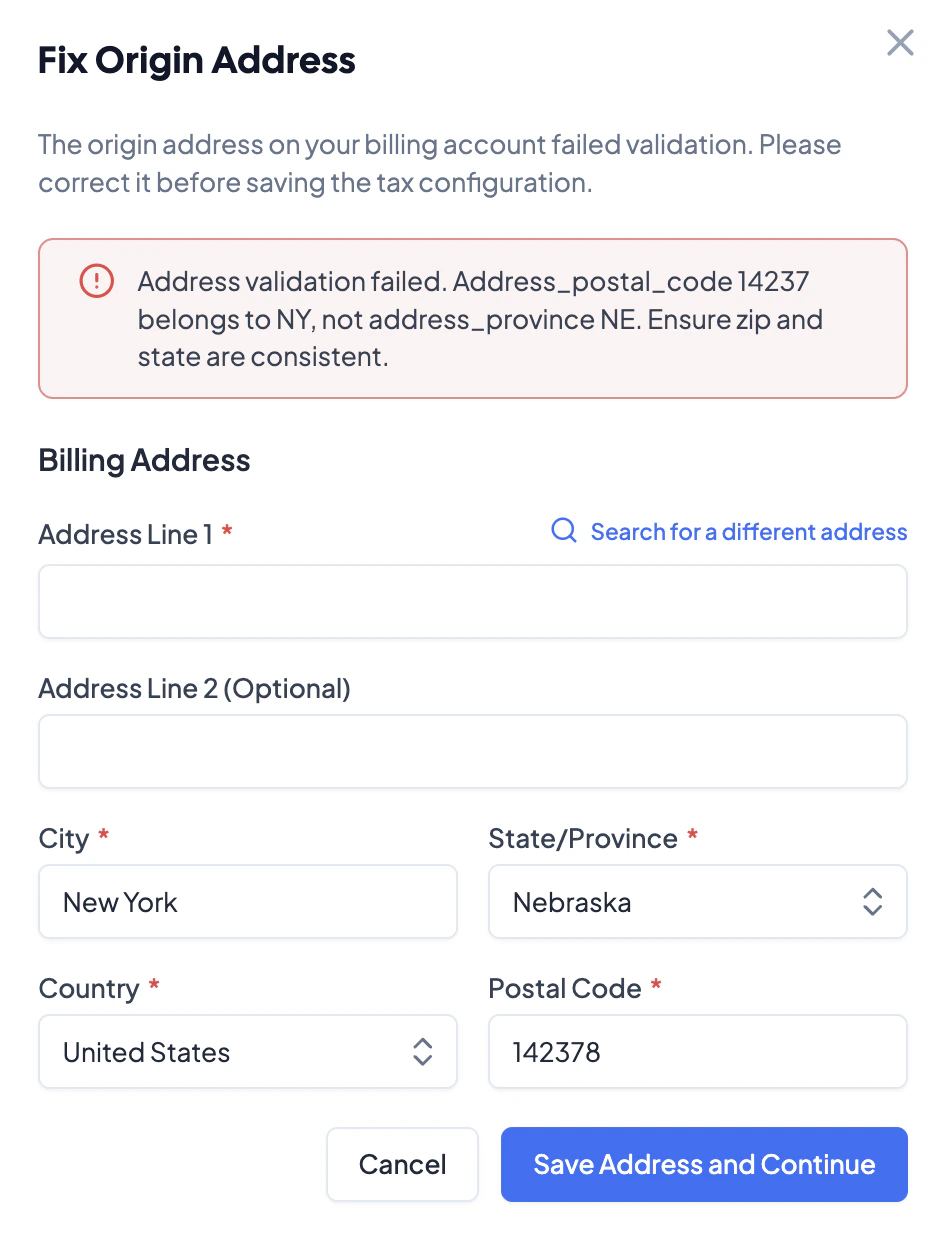 **Customers with invalid addresses revert to Pending.** When taxes are enabled, all customers with invalid addresses revert to the **Pending** state. Correct addresses under customer records by navigating to **Customers > Billing**.
***
## Timing and Existing Contracts
It is strongly recommended to configure the tax integration *prior* to approving contracts to ensure all tax rules are correctly applied.
* Contracts approved before the integration rules are configured will **not** inherit any integration rules.
* If taxes are enabled while approved contracts with recurring invoices exist, the line items for those invoices will have their tax categories set to **Exempt** — any change will need to be made manually.
**Customers with invalid addresses revert to Pending.** When taxes are enabled, all customers with invalid addresses revert to the **Pending** state. Correct addresses under customer records by navigating to **Customers > Billing**.
***
## Timing and Existing Contracts
It is strongly recommended to configure the tax integration *prior* to approving contracts to ensure all tax rules are correctly applied.
* Contracts approved before the integration rules are configured will **not** inherit any integration rules.
* If taxes are enabled while approved contracts with recurring invoices exist, the line items for those invoices will have their tax categories set to **Exempt** — any change will need to be made manually.